
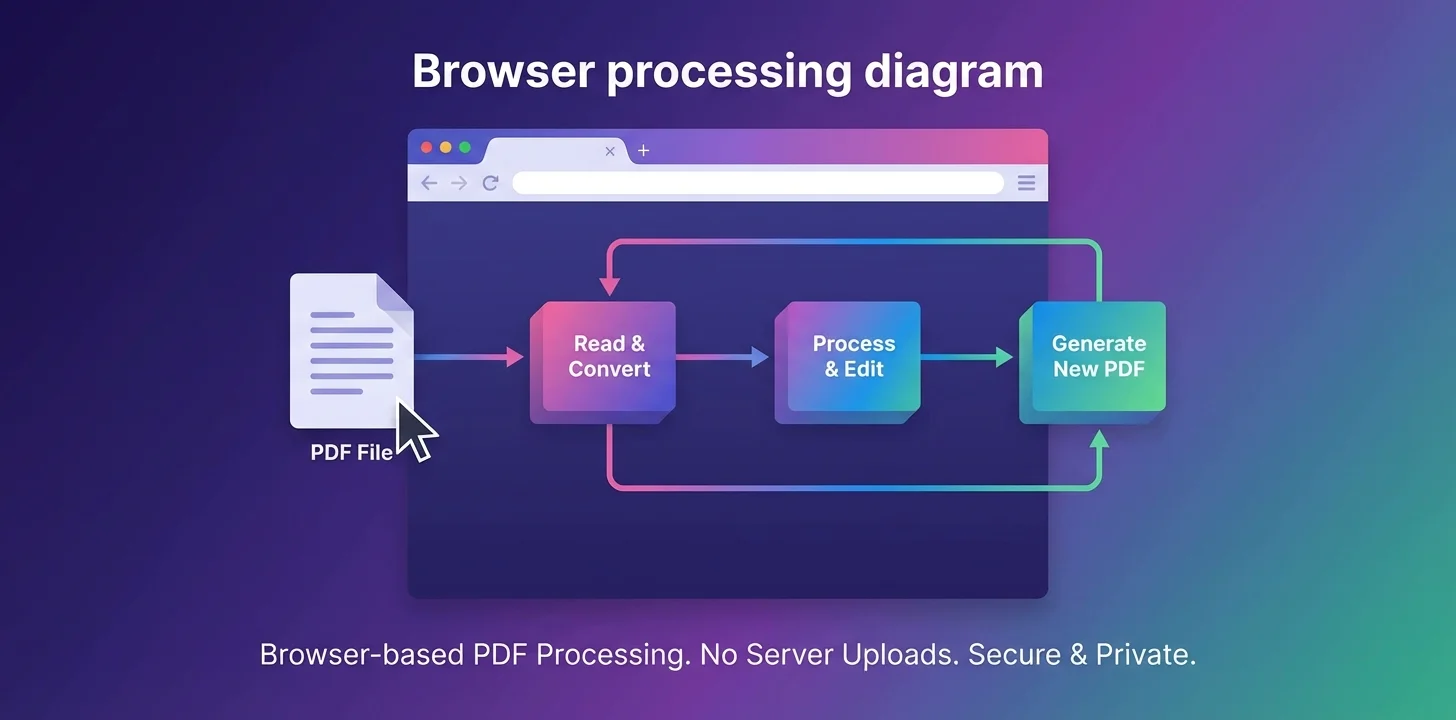
Unlike traditional online PDF editors that upload your files to servers, our editor processes everything locally in your browser using JavaScript. This means your documents never leave your device, ensuring maximum privacy and security.
How Local Processing Works
You Load the Page
When you visit our website, your browser downloads the HTML, CSS, and JavaScript code that powers the editor. This is a one-time download, and once loaded, the editor can work completely offline.
Technical Detail: We use standard browser APIs to read files directly from your local file system into memory. This is the same technology used by desktop applications, but running in your browser.
You Upload Files
When you select or drag files into the editor, they are loaded into your browser's memory (RAM). This happens entirely on your device - the files are NOT sent to any server.
Technical Detail: We use standard browser APIs to read files directly from your local file system into memory. This is the same technology used by desktop applications, but running in your browser.
Processing Happens in Your Browser
All editing operations - merging, cropping, rotating, annotating - are performed by JavaScript code running in your browser. We use powerful open-source libraries for document parsing and canvas manipulation.
Technical Detail: Our libraries parse and render PDF documents, while canvas libraries provide the editing capabilities. Everything runs entirely client-side using WebAssembly and JavaScript for optimal performance.
You Download the Result
When you click "Download," the edited document is generated in your browser's memory and saved directly to your device. Again, nothing is uploaded to or downloaded from our servers.
Technical Detail: We generate the output file in memory, then trigger your browser's native download function. The file goes directly from your browser to your file system.
Traditional vs. Local Processing
Traditional Server-Based Editor
- 1.Your file is uploaded to their server
- 2.Server processes and stores your file
- 3.You download the edited version
- 4.Your file may remain on their server
Privacy Risk: Your documents pass through and may be stored on external servers.
Our Local Browser Processing
- 1.File loads into your browser's memory
- 2.Your browser processes it locally
- 3.You download directly to your device
- 4.No trace left anywhere online
100% Private: Your documents never leave your device. Complete confidentiality.
Why Local Processing is Safer
No Data Breaches Possible
Since your files never reach our servers, there's zero risk of them being exposed in a server breach, hack, or data leak. What's not on a server cannot be stolen from a server.
No Unauthorized Access
We cannot access your documents even if we wanted to. They exist only in your browser's temporary memory and are automatically cleared when you close the tab or refresh the page.
Compliance-Friendly
Perfect for handling documents subject to GDPR, HIPAA, or other privacy regulations. Since data never leaves your device, there's no data transfer or storage to report or secure.
Works Offline
Once the page loads, you can disconnect from the internet entirely and continue editing. This provides true air-gapped editing for maximum security.
No Tracking or Analytics on Documents
We don't know what files you edit, how many pages they have, or what content they contain. Our analytics only track anonymous page views, not document content or metadata.
Automatic Cleanup
When you close the browser tab or refresh the page, all document data is immediately cleared from memory. Nothing persists, no cache, no temporary files.
Technical Implementation Overview
For those interested in the technical details, here's how our editor works under the hood:
PDF Parsing and Rendering
We use open-source browser libraries to parse PDF documents. The parsing runs entirely in the browser using JavaScript and WebAssembly, extracting text, images, and vector graphics without server assistance.
Canvas Manipulation
For editing operations like cropping, rotating, and annotating, we use powerful HTML5 canvas libraries. All drawing and manipulation happens on a <canvas> element in your browser.
Image Processing
HEIC to JPG conversion uses browser APIs and JavaScript libraries. Images are decoded, processed, and re-encoded entirely in memory using the Canvas API and specialized codecs.
Document Generation
When you download a PDF, we construct the PDF file in memory using browser-based libraries. For image exports, we use the Canvas API to render pages and convert them to JPG/PNG format, then package them in a ZIP archive.
All of these libraries are open source and can be audited. We don't use any proprietary code that could potentially send data elsewhere. Everything is transparent and verifiable.
How to Verify Our Claims
We encourage technically-minded users to verify that we're telling the truth about local processing. Here's how:
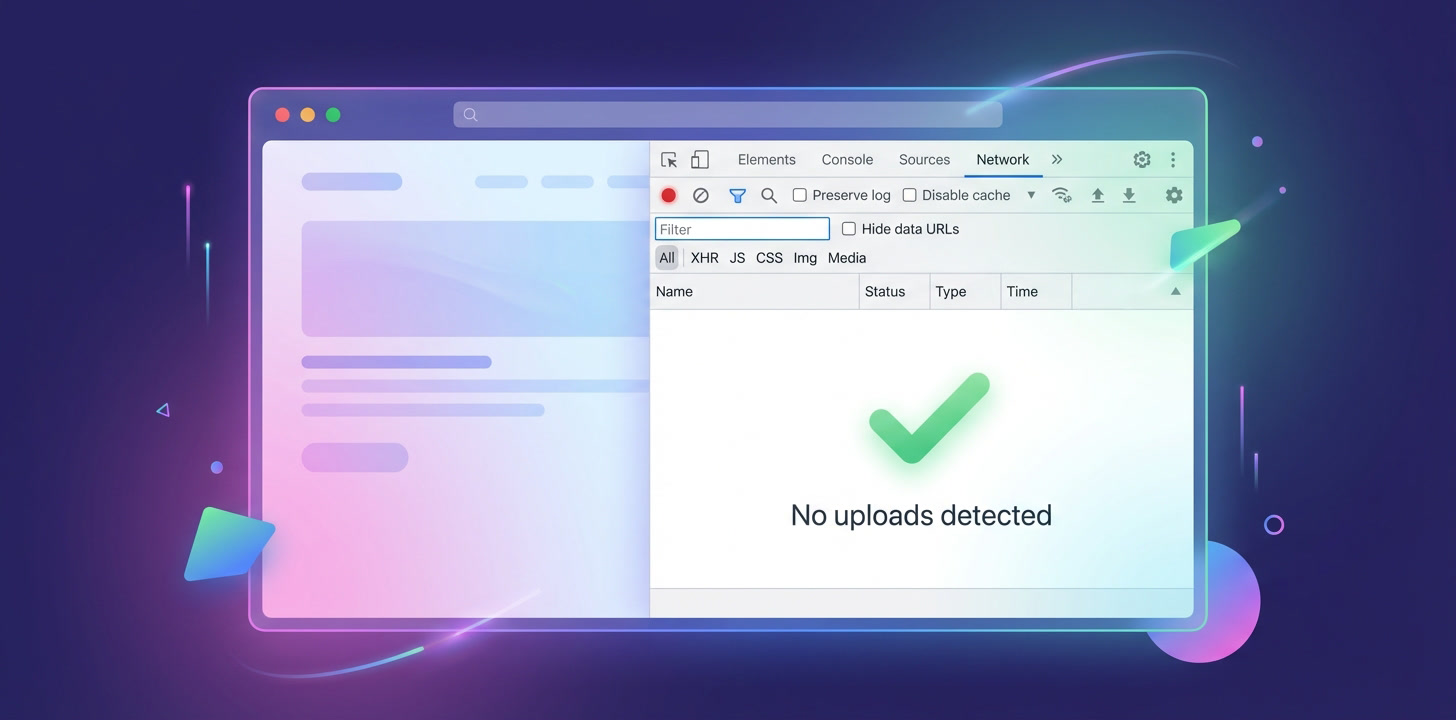
Method 1: Browser Developer Tools
- 1. Open our website and press F12 to open Developer Tools
- 2. Go to the "Network" tab
- 3. Upload a file to the editor
- 4. Watch the network activity - you'll see NO upload requests for your file
- 5. Only the initial page resources are loaded from our server
Method 2: Offline Test
- 1. Load our website in your browser
- 2. Disconnect from the internet (turn off WiFi or unplug ethernet)
- 3. Upload and edit documents - everything still works
- 4. Download the result - works offline too
- 5. This proves no server communication is required
Method 3: Source Code Inspection
Our JavaScript source code is delivered to your browser and can be inspected. Look for any network requests with your document data - you won't find any. All file operations use standard browser APIs for local processing.
Perfect for Confidential Documents
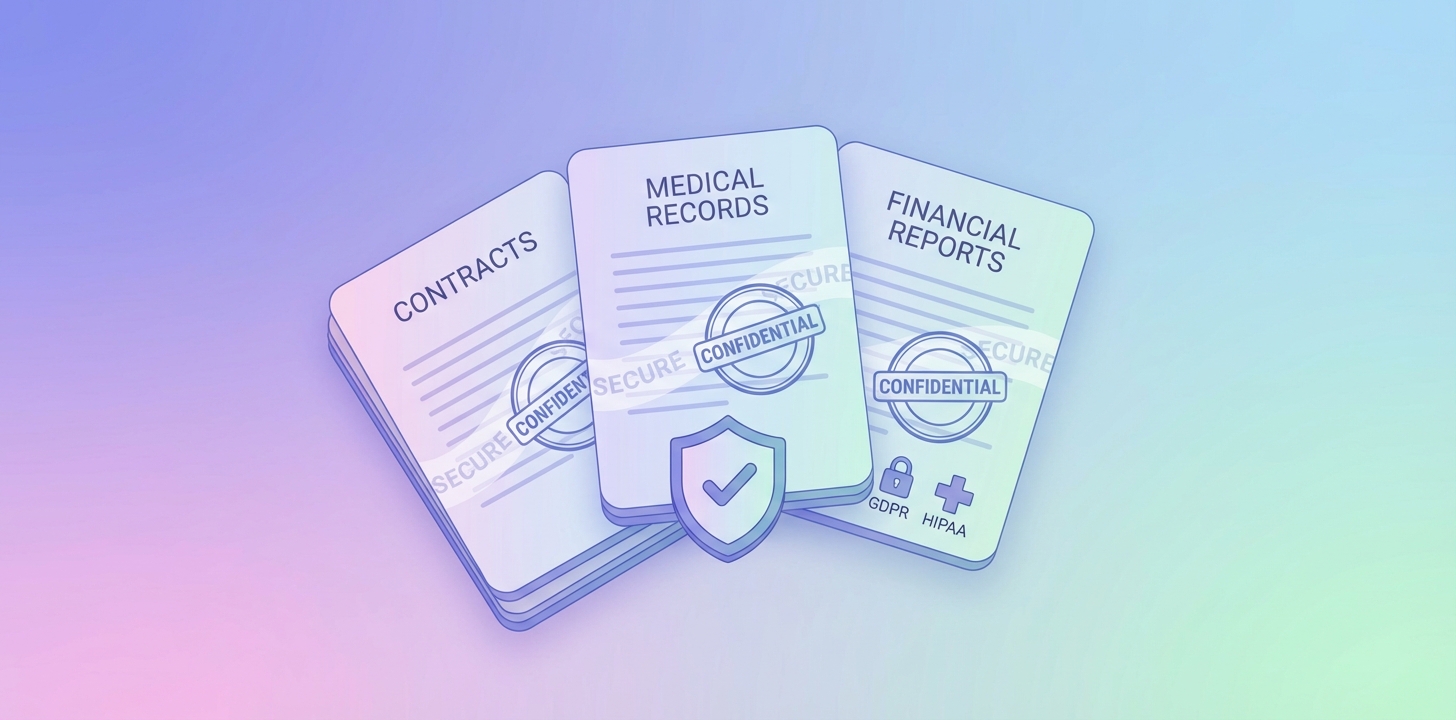
Our local processing approach makes our editor ideal for handling sensitive documents:
The Bottom Line
Local browser processing isn't just a feature - it's a fundamental privacy guarantee. By keeping your documents on your device and processing them entirely in your browser, we eliminate the single biggest security and privacy risk of online document editing: trusting a third party with your files.
You don't have to trust us with your documents because we never have access to them. This is security by design, not just by policy.
Experience Private PDF Editing
Try our editor with confidence - your documents stay on your device, always.
Try Our Secure PDF Editor